
Multi-Provider IPTV Household Setups
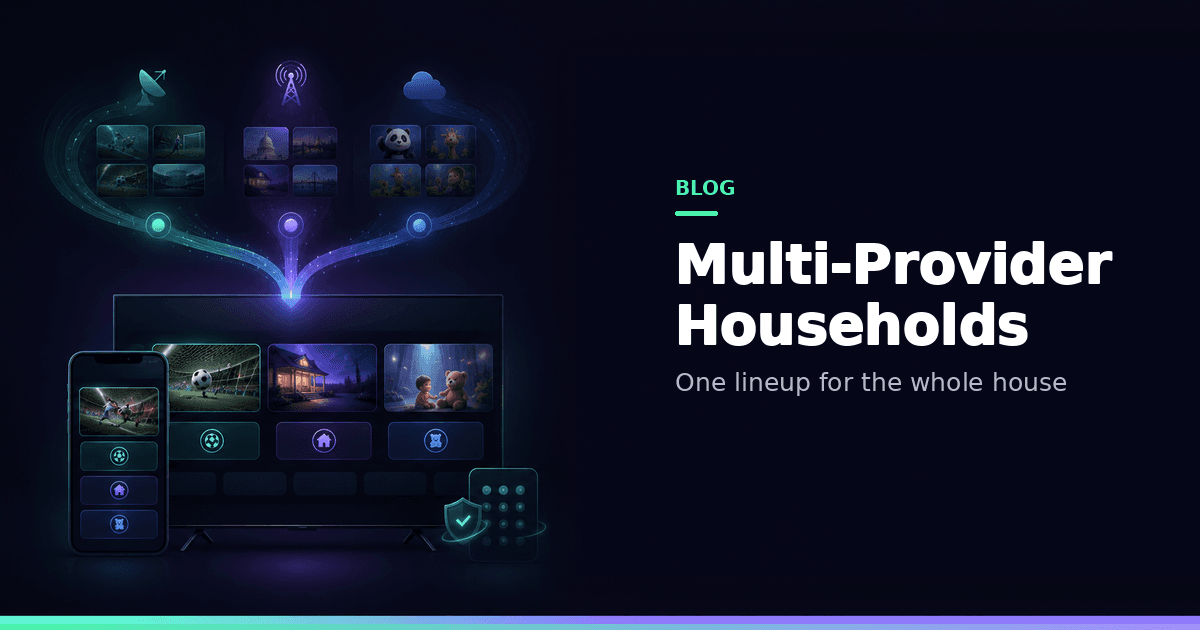
How you can merge sports, locals, and kids from multiple Xtream or M3U providers into Smart Collections — without juggling five apps or sharing real passwords.
Responsible use
GridStreamr does not provide IPTV channels, VOD, or playlists. You bring your own authorized Xtream Codes or M3U sources. You are responsible for complying with applicable terms, licenses, and local law.
If your household merges sports from one Xtream line and locals from another, the mistake is living inside each provider's category tree on every device.
A pattern that works
- Add each source once
- Build purpose Smart Collections: Sports, Locals, Kids, News
- Copy channels between collections — don't create duplicate accounts just to organise
- Map EPG per collection
- PIN-lock adult / warehouse collections (parental controls)
- Share Kids or Sports via virtual credentials
Guide: Combine multiple Xtream providers.
Why raw multi-login fails
| Habit | Result |
|---|---|
| Everyone has every panel password | Leaks and concurrent-stream fights |
| Watch in provider categories on TV | D-pad hell, backup feeds everywhere |
| One mega-favorites list | No Kids boundary after refreshes |
Free vs Premium
| Free | Premium | |
|---|---|---|
| Xtream / M3U | 1 each | Unlimited |
| Smart Collections | 1 × 20 | Unlimited × 2,000 |
| Full-day EPG / alerts | — | ✓ |
| AI cleanup | — | Credits + review |
| Jellyfin / DVR | — | ✓ |
Match-night checklist
Short Sports collection → Premium mobile EPG alerts for kickoff → optional MultiView (up to four live; no PiP) → optional Home DVR for must-keep matches.
Kids checklist
Verified Kids collection only → PIN on warehouse → spot-check after refresh → optional home widget for now/next (widget is not the lock).
Devices
Curate on iPhone or Android, then settle in on Android TV. Apple TV support is on the way — for now, sync your collections and enjoy the big screen on Android TV.
Related
Example topology
| Person / room | Source of truth | How they watch |
|---|---|---|
| Parent phone | Owns sources + collections | GridStreamr iOS/Android |
| Living room | Sports + Locals collections | GridStreamr Android TV (QR from phone) |
| Kids tablet | Kids collection only | GridStreamr with PIN on adult lists |
| Guest weekend | Time-limited share | Virtual credentials |
One person curates; everyone else consumes a scoped list.
Avoiding concurrent-stream pain
Providers enforce device limits. Password sharing multiplies sessions unpredictably. Virtual shares still consume streams when someone watches, but you can:
- Keep Sports short so people aren't parked on unused backups
- Revoke guest shares after the weekend
- Prefer one lean-back device per room instead of five phones on the same line
EPG across providers
After a merge, map Global EPG (or keep the best Xtream provider EPG) per collection. Don't expect a single upstream guide to cover every channel from every panel — see IPTV EPG explained.
One place to run the household lineup
Merge sources into Smart Collections. Share collections, not panel passwords.
Frequently asked questions
Can GridStreamr merge multiple Xtream accounts?
Yes. Add each authorized source, then copy channels into purpose Smart Collections. Premium unlocks unlimited sources and collections.
Does Free support multi-provider homes?
Free allows 1 Xtream, 1 M3U, and 1 Smart Collection (20 entries) — enough to prove the model. Real multi-provider households usually need Premium.
Should every person get my panel password?
No. Share curated Smart Collections with virtual credentials so you can revoke access without rotating the master login.
How do I keep kids safe with multiple providers?
Build a verified Kids Smart Collection, PIN-lock adult/warehouse collections, and spot-check after provider refreshes. Don't trust provider Kids categories blindly.
Can different people use different players?
Yes. Prefer GridStreamr on every screen (including Android TV via QR). Optionally export a secure share if someone insists on another player skin.
Does GridStreamr provide any of the providers' channels?
No. You bring your own authorized Xtream or M3U sources.
Get started
Download gridstreamr free
Add your sources, build a Smart Collection, then upgrade to Premium in-app when you need more.
Related
Keep reading
Virtual Credentials for Shared IPTV Playlists Explained
What GridStreamr virtual credentials are, how they differ from your real Xtream password, and how you can create, share, and revoke access to a Smart Collection.
Readarrow_forwardGridStreamr vs IPTV Editors: AI Playlist Cleanup in Minutes, Not Days
Tired of manually renaming channels and matching EPG in IPTVeditor or M3U tools? GridStreamr Smart Collections plus AI enrichment and auto-EPG matching replace hours of playlist surgery with a review-first workflow on iPhone and Android.
Readarrow_forwardGridStreamr: The IPTV Control Plane for Perfect Playlists in Any App
GridStreamr is the IPTV control plane for enthusiasts: curate Smart Collections once, then open them in TiviMate, IPTV Smarters Pro, IBO Player, Kodi, or VLC via Xtream or M3U share links—and in Jellyfin or Plex via M3U (home-server setup).
Readarrow_forward