
GridStreamr: The IPTV Control Plane for Perfect Playlists in Any App
GridStreamr is the IPTV control plane for enthusiasts: curate Smart Collections once, then open them in TiviMate, IPTV Smarters Pro, IBO Player, Kodi, or VLC via Xtream or M3U share links—and in Jellyfin or Plex via M3U (home-server setup).
Responsible use
GridStreamr does not provide IPTV channels, VOD, or playlists. You bring your own authorized Xtream Codes or M3U sources. You are responsible for complying with applicable terms, licenses, and local law.
If you're serious about IPTV, you want a short list of channels that actually work, a programme guide that matches, movie posters that feel like a real library — and you want that on your phone and Android TV without redoing the work in every app. GridStreamr is built for that: connect authorized Xtream and M3U sources, curate Smart Collections, map EPG, enrich VOD, and watch in the GridStreamr player. Secure shares are optional for household members who insist on another skin — not the main path.
What is an IPTV control plane?
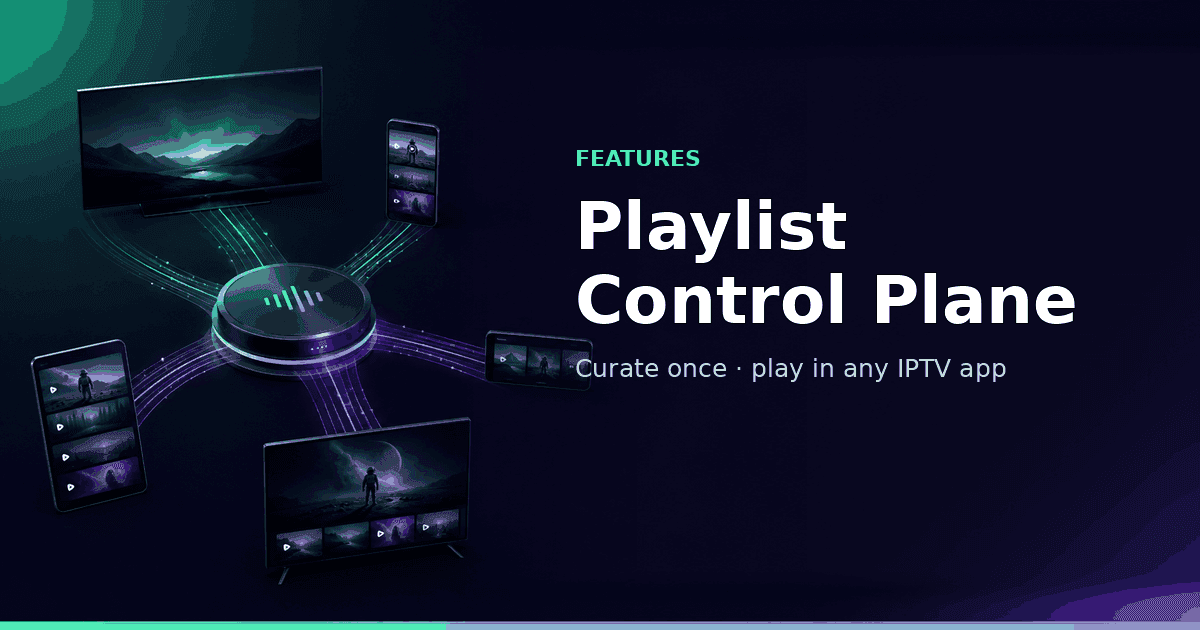
Most IPTV apps are playback-first: paste credentials, zap channels, hope the guide works. GridStreamr adds a management layer on top of playback. You merge providers, rename channels, attach Global EPG, enrich with TMDB and AI (Premium), and share revocable credentials — then watch the same Smart Collections in GridStreamr on iPhone, iPad, Android, and Android TV. That management layer is the "control plane": one curated lineup as the source of truth.
Why you need a management layer
- Raw provider lists are huge — you only need dozens of channels, not thousands of dead links.
- Names and logos are inconsistent across sources, which breaks search and EPG matching.
- EPG from one provider rarely covers every channel you merged from another.
- Sharing your main Xtream username and password is risky and hard to revoke per device.
- Every player wants the same credentials typed again unless you centralize curation first.
You want the perfect playlist: stable streams, clean categories, accurate Now/Next, and VOD that browses like Netflix. Doing that inside each player separately means repeating the same edits forever. A control plane lets you treat the playlist as a product you ship to any app.
How GridStreamr works as your control plane
- Import sources you're authorized to use: Xtream Codes accounts and M3U playlists.
- Curate Smart Collections: pick channels, movies, and series from any source into one list.
- Improve the library: map EPG in Manage EPG, add TMDB for VOD (Premium, your free API key), run AI channel enrichment for live rows (Premium, in-app credits).
- Export securely: from Manage Shares, copy virtual Xtream credentials (GridStreamr host, token username, share-code password) or the M3U playlist URL — recipients never see your real provider login.
- Watch in GridStreamr on iPhone, iPad, Android, and Android TV (Smart Collections). Optionally export a secure share for household members on another player.
Optional: feed another player from a secure share
Most people can stay in GridStreamr end-to-end. If someone already loves another TV skin, Manage Shares can issue Xtream-style credentials (GridStreamr host, token username, share-code password) or an M3U URL — never your real panel login. Compatible apps include TiviMate, IPTV Smarters Pro, IBO Player, Kodi, and VLC. Jellyfin can use the M3U URL as a tuner; Plex usually needs a proxy such as Threadfin or xTeVe.
| App | Typical role | Xtream share | M3U share | Best when… |
|---|---|---|---|---|
| GridStreamr | Primary player + curation | Native | Native | You want one app for Smart Collections, EPG, sync, and playback. |
| TiviMate | Android TV live TV player | Yes | Yes | Your sofa setup is Android TV and you want a clean, merged lineup. |
| IPTV Smarters Pro | Cross-platform starter player | Yes | Yes | Household members already use Smarters and you want them on your curated share, not raw credentials. |
| IBO Player / IBO Pro | Smart TV and set-top player | Yes | Yes | You need a familiar TV app on Samsung, LG, or Android boxes without exposing your real login. |
| Kodi | Power-user home theater | Yes (addon or API) | Yes (PVR M3U URL) | PVR IPTV Simple Client uses the M3U URL; Xtream-style addons can use GridStreamr share credentials like other players. |
| VLC | Universal fallback | No | Yes (M3U URL) | Open the share M3U URL under Media → Open Network Stream; no native Xtream login UI. |
| Jellyfin | Self-hosted media server | No (M3U only) | Yes (M3U tuner) | Add the share M3U URL as a Live TV tuner; pair XMLTV EPG separately. Jellyfin does not accept Xtream API login. |
| Plex | Home media + live TV | No (use proxy) | Yes (via Threadfin/xTeVe) | Import the share M3U into Threadfin or xTeVe, then add that proxy as a Plex tuner; Plex Pass + Live TV setup required. |
| Televizo / OTT Navigator | Lean Android players | Yes | Yes | You want a lightweight TV UI fed by the same Smart Collection as your phone. |
Swipe horizontally to see all columns.
TiviMate: best-in-class TV UI, GridStreamr-fed data
TiviMate is Android and Android TV only, and it remains a reference experience for live IPTV there: fast zapping, readable EPG grids, and familiar grouping. It doesn't merge multiple providers or issue revocable shares on its own. Build your lineup in GridStreamr, attach EPG from the global catalog where needed, then in Manage Shares open Xtream details and enter the GridStreamr host, token username, and share-code password in TiviMate's Xtream Codes API screen — or paste the M3U URL instead. Your real provider password never lives on the TV. Note: TiviMate isn't available on iPhone; use IPTV Smarters Pro or GridStreamr on iOS.
IPTV Smarters Pro and IBO Player: reach every screen
IPTV Smarters Pro runs on iOS, Android, and some TV platforms. IBO Player and IBO Pro are common on smart TVs and set-top boxes (often configured via the IBO web portal as well as in-app). Both support Xtream Codes API and M3U URLs. Add a GridStreamr share with Login with Xtream Codes API using the host and credentials from Manage Shares, or paste the M3U URL. Recipients see only what you put in the Smart Collection — not your full provider catalogue.
Kodi and VLC: flexibility and fallbacks
Kodi's built-in path is PVR IPTV Simple Client with your GridStreamr share M3U URL (and XMLTV for EPG if you configure a guide source). That keeps channel lists smaller than importing a raw 10,000-line provider file. For Xtream-style browsing inside Kodi, third-party addons can target the same GridStreamr share host and credentials other players use. Keep VLC for quick tests: open the share M3U URL via Media → Open Network Stream when a single stream needs debugging outside your main UI.
Jellyfin and Plex: one curated feed for the home server
If you already run Jellyfin or Plex for owned libraries, live IPTV there is usually messier: huge M3U files and inconsistent group titles. Curate live channels in GridStreamr first, then paste the share M3U URL into Jellyfin's M3U Tuner (Admin → Live TV). For Plex, point Threadfin or xTeVe at the same M3U URL, filter to the channels you need (Plex has per-tuner limits), and add the proxy as a DVR source. When you update the Smart Collection in GridStreamr, clients pick up changes after they refresh the playlist or reload the tuner — you still manage sharing and revocation from GridStreamr, not from Jellyfin or Plex.
What you get in the control plane (not just export)
- Smart Collections: merge Xtream and M3U sources into one curated playlist.
- Secure sharing: virtual credentials per share; revoke or expire without rotating your main login (Free: one share per Smart Collection; Premium: multiple shares and up to 15 Smart Collections).
- EPG: map GridStreamr Global EPG in Manage EPG — it doesn't auto-apply on connect. Premium adds full-day timelines, Custom EPG Configuration, and AI Auto-match (review before apply). Export XMLTV from Manage Shares for other players.
- TMDB enrichment for movies and series in Smart Collections (Premium, your own free API key).
- AI Live Channels Enrichment for cleaner live names, types, quality hints, and logos (Premium, in-app credits).
- Cross-device sync: favorites and resume on iPhone, iPad, and Android; Android TV pairs by QR code.
A practical enthusiast workflow
- Connect every authorized Xtream and M3U source in GridStreamr once.
- Create Smart Collections such as Sports, News, Family, or Movies-only.
- Map EPG in Manage EPG (Global catalog and/or Xtream provider EPG) and, on Premium, add TMDB plus AI channel enrichment where it helps.
- Watch on phone and QR-link Android TV — Smart Collections sync. Optionally create a share in Manage Shares for a household member on another player.
- Revoke or rotate virtual credentials when a device leaves the household.
Why not live only inside a single-source player?
Paste-credentials-and-zap apps force you to redo merges, renames, and EPG work on every device — or not at all. GridStreamr curates once: update the Smart Collection, watch it everywhere you run GridStreamr, and optional share endpoints stay in sync after clients refresh. You get library quality, EPG assignment, TMDB, and safe sharing without making another player the center of the story.
Learn more on the blog
- What Is a Smart Collection?
Merge Xtream and M3U sources into one curated list and share it securely.
- Xtream Codes vs M3U
Which IPTV format to use and when to combine both.
- How to Share a Curated IPTV Playlist With Anyone, Safely
Virtual credentials, revoking access, and best practices.
- Best IPTV Apps for iOS and Android Compared in 2026
How GridStreamr compares — and why we lead with one workflow.
- All GridStreamr blog guides
Setup tutorials, Smart Collections, EPG, TMDB, and comparisons.
Curate and watch in GridStreamr
Smart Collections, EPG, and playback on iPhone and Android. Android TV requires Premium. Secure shares when household members need them. 7-day Premium trial on mobile.
Get started
Download gridstreamr free
Add your sources, build a Smart Collection, then upgrade to Premium in-app when you need more.
Related
Keep reading
How to Share an IPTV Playlist Safely Without Exposing Your Credentials
Use GridStreamr Smart Collections to share live TV access with family or friends via tokenised URLs, your Xtream Codes login is never visible to recipients.
Readarrow_forwardGridStreamr vs IPTV Editors: AI Playlist Cleanup in Minutes, Not Days
Tired of manually renaming channels and matching EPG in IPTVeditor or M3U tools? GridStreamr Smart Collections plus AI enrichment and auto-EPG matching replace hours of playlist surgery with a review-first workflow on iPhone and Android.
Readarrow_forwardWhat Is a Smart Collection? The Simple Way to Merge IPTV Playlists
Smart Collections let you combine channels from multiple Xtream Codes and M3U sources into one curated list, then share it securely without exposing your credentials. Here's how it works.
Readarrow_forward