
IPTV Playlist Control Plane — Curate Once, Play Anywhere
Use GridStreamr Smart Collections as your IPTV control plane: merge sources, fix EPG and metadata, then feed TiviMate, IPTV Smarters, IBO, Kodi, VLC, Jellyfin or Plex via secure shares.
Responsible use
GridStreamr does not provide IPTV channels, VOD, or playlists. You bring your own authorized Xtream Codes or M3U sources. You are responsible for complying with applicable terms, licenses, and local law.
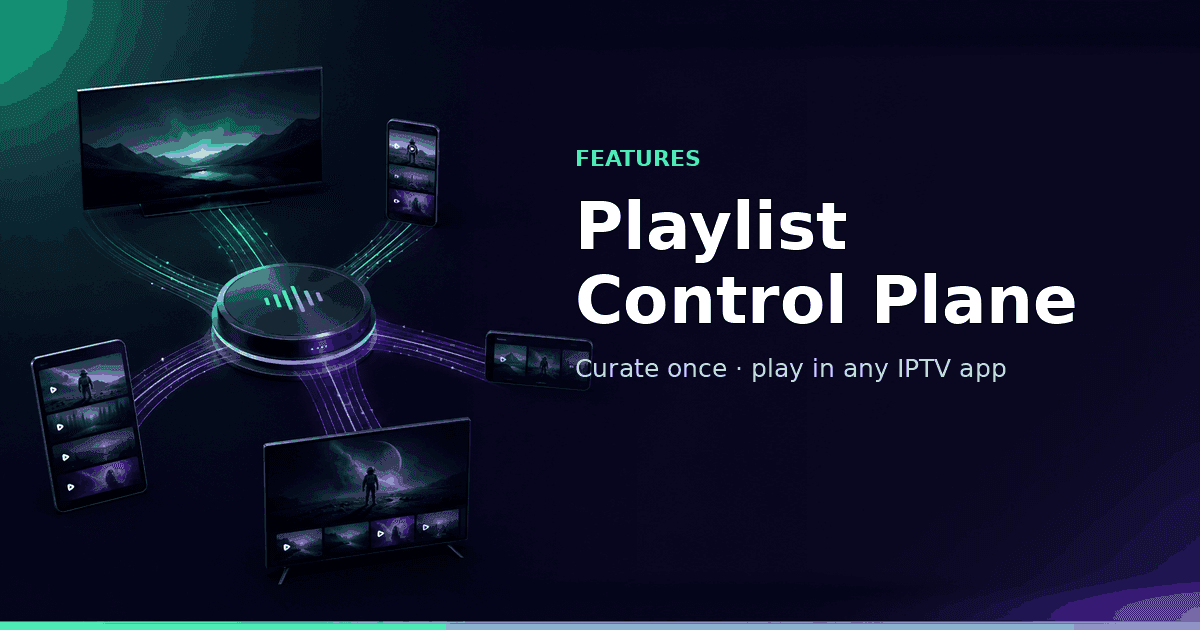
If you are serious about IPTV, you have probably outgrown a single app. You want a short list of channels that actually work, a guide that matches, movie posters that look intentional, and the freedom to watch on your phone, Android TV, or whatever player the household already likes. That is not only a player problem — it is a playlist management problem. GridStreamr is built as the control plane for that workflow: curate once in Smart Collections, then feed dedicated players through secure Xtream-style shares or M3U URLs.
What "control plane" means for IPTV
In cloud infrastructure, the control plane decides what should run; data planes do the work. Home IPTV maps cleanly onto that idea:
- Control plane (GridStreamr) — import Xtream/M3U, merge providers, rename, attach EPG, enrich metadata, issue revocable shares
- Data planes (players) — TiviMate, IPTV Smarters Pro, IBO Player, Kodi, VLC, and GridStreamr's own player for day-to-day watching
Players excel at zapping and on-screen guides. They are rarely great at merging five providers, fixing 2,000 names, or sharing a kids lineup without the master password. The control plane owns those jobs once.
Why enthusiasts need a management layer
- Raw provider lists are huge; you need dozens of channels, not thousands of dead links
- Names and logos are inconsistent, which breaks search and EPG matching
- EPG from one provider rarely covers channels merged from another
- Sharing a main Xtream password is risky and hard to revoke per device
- Every player wants the same credentials typed again unless you centralize first
Enthusiasts chase the perfect playlist: stable streams, clean categories, accurate Now/Next, VOD that browses like a catalog. Doing that inside each player separately means repeating edits forever. A control plane lets you treat the playlist as a product you ship to any app.
How the GridStreamr control plane works
- Import authorized Xtream Codes accounts and M3U playlists
- Curate Smart Collections — channels, movies and series from any source into themed lists
- Improve — Global EPG mapping (Premium AI Auto-match optional), TMDB for VOD, AI live enrichment for channel rows (Premium)
- Export securely — Manage Shares → virtual Xtream credentials and/or M3U URL (secure sharing)
- Play anywhere — built-in player on iOS/Android/Android TV, or add the share to external apps
Your real panel login never needs to leave GridStreamr.
Player compatibility matrix
| App | Typical role | Xtream share | M3U share | Best paired with GridStreamr when… |
|---|---|---|---|---|
| GridStreamr | Control plane + player | Native | Native | You want curation, sync and playback in one place |
| TiviMate | Android TV live UI | Yes | Yes | Sofa setup is Android TV; GridStreamr supplies the clean lineup |
| IPTV Smarters Pro | Cross-platform starter | Yes | Yes | Household already knows Smarters; you want curated shares |
| IBO Player | Smart TV / box UI | Yes | Yes | Samsung/LG/Android boxes without exposing real login |
| Kodi | Power-user HTPC | Addon / API | PVR M3U | PVR IPTV Simple Client uses the M3U URL |
| VLC | Universal fallback | — | Yes | Open Network Stream → M3U URL |
| Jellyfin | Self-hosted server | — | Yes (tuner) | Add M3U + XMLTV; see Jellyfin feature |
| Plex | Home media + live TV | — | Via proxy | Import M3U into Threadfin/xTeVe, then Plex tuner |
| Televizo / OTT Navigator | Lean Android players | Yes | Yes | Lightweight TV UI fed by the same collection |
Deep dive blog: IPTV control plane for any player.
TiviMate as a data plane
TiviMate remains excellent for lean-back Android TV. The control-plane pattern is:
- Build the master Sports / Family collection in GridStreamr
- Attach Global EPG and clean names (AI optional)
- Create a share → copy virtual Xtream + XMLTV
- Add those into TiviMate once
- When you reorder or add channels in GridStreamr, refresh the playlist in TiviMate
You get TiviMate's remote UX with GridStreamr's multi-source brain. Comparison: GridStreamr vs TiviMate.
Jellyfin, Plex and VLC caveats
- Jellyfin accepts M3U/M3U8 tuners and XMLTV — not Xtream panel login. Use the share M3U + XMLTV pair.
- Plex Live TV typically needs an M3U proxy (Threadfin/xTeVe) plus Plex Pass — GridStreamr supplies the M3U, not the proxy.
- VLC plays the M3U URL but has no full Xtream setup screen — always use the M3U link from Manage Shares.
GridStreamr also embeds a Premium Jellyfin client for browsing your NAS library beside IPTV — complementary, not mutually exclusive.
Control plane vs IPTV editor websites
Browser editors (IPTVeditor-class tools, spreadsheets, desktop M3U utilities) are good at drag-and-drop file surgery. They usually stop at export a cleaner file. GridStreamr keeps going: sync across devices, AI batch cleanup with review, Global EPG, virtual shares, optional playback, DVR and Jellyfin.
If your pain is "my playlist is ugly and has no EPG," start with GridStreamr. If you need local stream proxying or server-side remux, keep Threadfin/xTeVe beside the control plane — different layer. Full comparison: GridStreamr vs IPTV Editor.
Free vs Premium for managers
| Capability | Free | Premium |
|---|---|---|
| Smart Collections | 1 (20 entries) | Unlimited (2,000 each) |
| Sources | 1 Xtream + 1 M3U | Unlimited |
| Secure shares | ✓ | ✓ |
| Global EPG mapping | Basic Now/Next | Full-day + custom + XMLTV export |
| AI / TMDB polish | — | ✓ |
| Built-in advanced player | Limited | TimeShift, MultiView, etc. |
Free proves the control-plane idea. Premium is sized for real multi-provider homes.
Recommended household architecture
- Phone — GridStreamr for curation, AI review, share management
- Living room — GridStreamr Android TV or TiviMate fed by a share
- Kids tablet — GridStreamr with a PIN-locked Kids collection, or a short-expiry share
- Homelab — optional Jellyfin/Plex path via M3U for unified live+library UIs
- Recording — Home DVR on NAS for titles you must keep
One curated truth; many frontends.
Getting started
- Install GridStreamr and add your primary Xtream or M3U source
- Create a Smart Collection with only channels you actually watch
- Attach Global EPG
- Generate a share and test it in VLC
- Point TiviMate or your TV app at the same credentials
- Optionally run AI enrichment on the messiest category
Curate once. Play anywhere.
Free tier includes one Smart Collection and secure sharing. Premium unlocks multi-provider scale.
Related reading
Frequently asked questions
What is an IPTV control plane?
It is the management layer where you import sources, curate channels, attach EPG and publish stable share endpoints. Playback apps (TiviMate, VLC, etc.) act as data planes that consume those playlists.
Can I keep using TiviMate on my TV?
Yes. Curate in GridStreamr, then add virtual Xtream credentials or an M3U Plus URL from Manage Shares into TiviMate. Your real provider password stays in GridStreamr only.
Does GridStreamr replace Jellyfin or Plex?
No. For live TV inside those servers, export an M3U share (Jellyfin tuner directly; Plex usually via Threadfin/xTeVe). GridStreamr also offers a native Jellyfin client for library browsing.
Do I have to watch inside GridStreamr?
No. Built-in playback is optional. Many users treat GridStreamr as manager-only and watch exclusively in another player.
Does the control plane include IPTV channels?
No. You connect authorized Xtream Codes or M3U sources. GridStreamr organizes and shares what you already have permission to use.
Is this the same as an IPTV editor website?
Related problem, different product. Editors focus on file surgery in a browser. GridStreamr combines curation, AI cleanup, EPG, secure sharing and optional playback in one synced app. See our IPTV Editor comparison.
Get started
Download gridstreamr free
Add your sources, build a Smart Collection, then upgrade to Premium in-app when you need more.
Related
Keep reading
Sports Hub: Scores, Standings, and the Match on Your Playlist
Premium Sports Hub on iPhone, iPad, and Android follows teams, players, and leagues, then opens a matching channel from your own IPTV playlist. Apple TV (tvOS) and Android TV are coming soon.
Readarrow_forwardAI Channel Categorization
AI Channel Categorization — practical GridStreamr guidance for organize iptv channels ai. Bring your own Xtream or M3U sources; we handle organisation, EPG and playback tools.
Readarrow_forwardEPG Notification Alerts
EPG Notification Alerts — practical GridStreamr guidance for iptv epg notifications. Bring your own Xtream or M3U sources; we handle organisation, EPG and playback tools.
Readarrow_forward