
How Xtream Codes Works — API, Credentials and Catch-up
Understand Xtream Codes IPTV: host/username/password credentials, Live/VOD/Series API endpoints, provider EPG, TV archive catch-up and how GridStreamr uses the API without selling you a line.
Responsible use
GridStreamr does not provide IPTV channels, VOD, or playlists. You bring your own authorized Xtream Codes or M3U sources. You are responsible for complying with applicable terms, licenses, and local law.
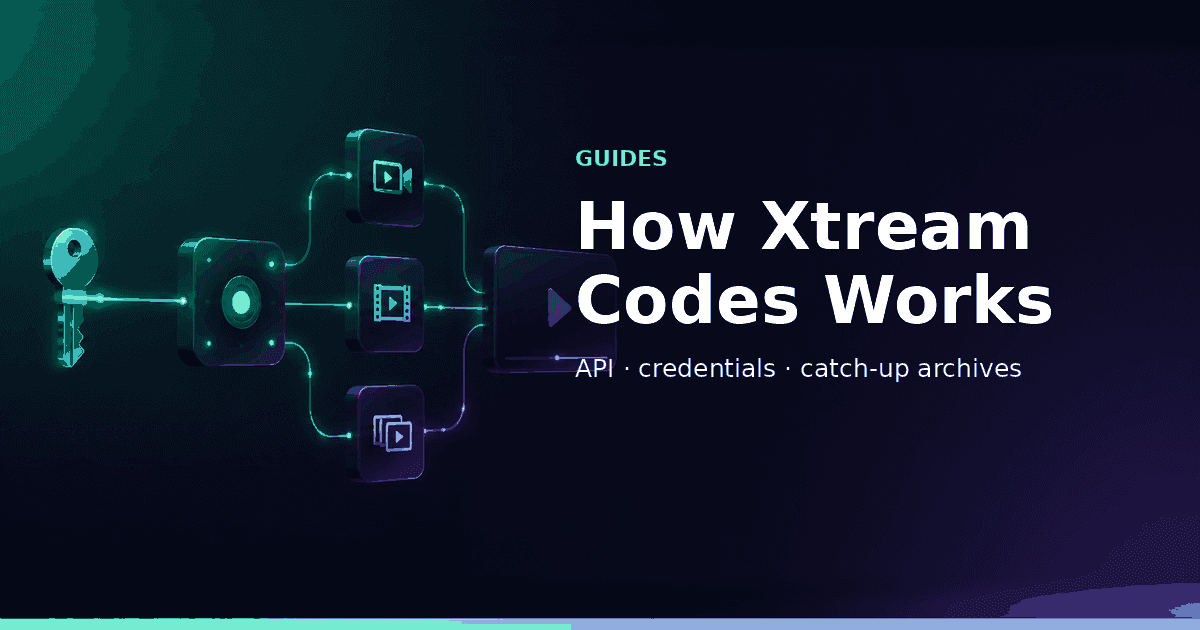
“Xtream Codes” shows up in provider emails as if it were a brand of television. Technically it is closer to a contract between panels and apps: a base host, a username, a password, and a family of HTTP API actions that return live categories, VOD, series, provider EPG and sometimes TV archive. This guide explains those moving parts in plain language and how GridStreamr’s Xtream player uses them — without pretending GridStreamr is your content provider.
The three secrets in every Xtream email
| Field | What it is | Common footguns |
|---|---|---|
| Host / DNS / URL | Base address of the panel (http(s)://domain[:port]) | Missing port, wrong http vs https, outdated DNS after migrations |
| Username | Line identifier | Extra spaces when copying from PDF emails |
| Password | Line secret | Sharing it in group chats; confusing it with your GridStreamr account password |
Apps do not download a mysterious “Xtream file.” They call endpoints under that host using your username/password (or tokenised derivatives) and receive JSON (or similar) lists of categories and streams.
What the API typically exposes
Exact paths vary by panel family, but conceptually you get:
- Authentication / account info — status, expiry, allowed outputs
- Live TV — categories → channels → stream URLs
- Movies (VOD) — categories → titles → info + playback
- Series — shows → seasons → episodes
- Provider EPG — now/next (and longer listings when the panel provides them)
- TV archive / catch-up — optional replay windows per live channel
- XMLTV helpers — many panels also publish a separate guide URL
GridStreamr maps those structures into Sources, the IPTV player, Smart Collections and Premium TimeShift.
Live TV flow (mental diagram)
Your app
  → GET live categories (auth)
  → GET streams in a category
  → User picks a channel
  → App requests / builds playback URL
  → Player (HLS/MPEG-TS/etc.) starts
If categories load but one channel fails, the failure is often upstream on that stream, not “Xtream is broken globally.”
VOD and series vs live
Live channels are continuous streams with optional archive. Movies/Series are on-demand titles the panel catalogs with metadata of uneven quality. That is why TMDB enrichment exists in GridStreamr — panels frequently ship empty posters and cryptic filenames.
EPG: Xtream provider guide vs XMLTV vs Global EPG
Xtream panels may offer:
- Provider EPG via the Xtream API (convenient, sometimes thin)
- A separate XMLTV URL (fuller schedules when maintained)
GridStreamr can also map channels to Global EPG so you are not stuck when panel guides are empty. Practical how-to: Add EPG to an IPTV playlist.
Catch-up / TV archive
When a panel enables archive on a channel, the API advertises that the channel has a replay window and how to request a past segment. GridStreamr Premium TimeShift turns that into a programme picker + scrubber + Back to Live control.
Details: How IPTV catch-up / TimeShift works.
No archive flag → no honest catch-up button. Apps that fake rewind without archive are guessing.
Xtream vs M3U (short version)
| Topic | Xtream API | M3U playlist |
|---|---|---|
| Shape | Host + user + pass | URL to a text playlist |
| Structure | Live / VOD / Series trees | Flat or group-title lists |
| Updates | Panel state via API | Re-fetch entire file |
| Catch-up | Archive endpoints when enabled | Rare / attribute hacks |
| Portability | Needs Xtream-aware apps | Works almost everywhere |
Full comparison: M3U vs Xtream Codes. Many households use both inside Smart Collections.
How GridStreamr uses Xtream specifically
When you tap Add Source → Xtream and save:
- Credentials are stored for your GridStreamr account (treat the device like it holds secrets)
- Categories and catalogs import into the Sources UI
- You play directly or add channels into Smart Collections
- EPG mapping and AI cleanup can improve presentation
- Secure shares mint virtual credentials so family never sees the real panel password
- Premium TimeShift talks to archive endpoints when present
Feature page: Xtream Codes. Setup: Android, iPhone, Android TV.
Multiple Xtream accounts
Premium users often keep complementary lines:
- Sports-heavy panel A
- Movies-heavy panel B
Connect both, merge into collections — combine multiple Xtream providers. Free includes a single Xtream account.
Security basics for Xtream credentials
- Never post host+user+pass in public forums
- Prefer virtual shares for family
- Rotate panel passwords when a leak is suspected — then recreate shares
- Beware phishing “panel login” pages
- Remember: your GridStreamr password and Xtream password are different secrets
Panels, resellers and why quality varies
“Xtream-compatible” covers many panel codebases and reseller setups. That is why two “Xtream” emails behave differently:
- One has rich VOD metadata and 3-day archive
- Another has empty EPG and flaky DNS
The API pattern is shared; operations quality is not. GridStreamr can organize and play what the panel returns — it cannot fix an empty bouquet.
Troubleshooting map
| Symptom | Likely layer |
|---|---|
| Auth failed | Credentials / expiry / host typo |
| Categories empty | Panel lag, empty package, wrong host path |
| All channels buffer | Your network / VPN / ISP path |
| One channel fails | Upstream encode or geo |
| No TimeShift | No archive or not Premium |
| EPG wrong | Timezone / mapping, not “Xtream broken” |
What Xtream is not
- Not a legal shortcut around content rights
- Not the same as “a GridStreamr subscription” (pricing is for the app features)
- Not automatically available in every player (needs Xtream support)
- Not Android Automotive / CarPlay / a shipping Apple TV app by itself — those are client concerns on top of the API
Verification checklist (understanding + practice)
- You can explain host vs username vs password
- You know whether your panel includes VOD/series
- You know whether any channels advertise archive
- You have added the account in GridStreamr successfully
- You are not texting the real password to share access
Next reading
Connect Xtream the structured way
Add your authorized host, username and password in GridStreamr — then curate Smart Collections, EPG and optional TimeShift on top of the API.
Related reading
Frequently asked questions
What is Xtream Codes?
Xtream Codes refers to a common IPTV panel/API pattern. Providers give you a host URL, username and password; apps call HTTP endpoints for live categories, VOD, series, provider EPG and optional TV archive.
Is Xtream Codes a subscription GridStreamr sells?
No. GridStreamr is a player and organizer. You bring an authorized Xtream account from a provider you already use. GridStreamr does not sell channels or lines.
How is Xtream different from M3U?
M3U is a playlist file of stream URLs. Xtream is a live API with structured Live/VOD/Series and better hooks for catch-up. Many providers offer both. See our M3U vs Xtream guide.
What do host, username and password mean?
Host is the panel base URL (often with a port). Username and password authenticate your line. Apps combine them to request category lists and playback URLs — treat them like account secrets.
Does Xtream always include catch-up?
No. TV archive is optional per panel and per channel. GridStreamr TimeShift only works when your provider exposes archive metadata.
Can I use multiple Xtream accounts?
In GridStreamr, Free includes one Xtream account; Premium allows unlimited accounts merged via Smart Collections.
Get started
Download gridstreamr free
Add your sources, build a Smart Collection, then upgrade to Premium in-app when you need more.
Related
Keep reading
Export a Smart Collection to TiviMate
Export a Smart Collection to TiviMate — practical GridStreamr guidance for export playlist to tivimate. Bring your own Xtream or M3U sources; we handle organisation, EPG and playback tools.
Readarrow_forwardJellyfin + IPTV in One App
Jellyfin + IPTV in One App — practical GridStreamr guidance for jellyfin iptv together. Bring your own Xtream or M3U sources; we handle organisation, EPG and playback tools.
Readarrow_forwardHow to Record IPTV on Linux
How to Record IPTV on Linux — practical GridStreamr guidance for record iptv linux. Bring your own Xtream or M3U sources; we handle organisation, EPG and playback tools.
Readarrow_forward