
IPTV TimeShift / Catch-up — Replay Live TV You Missed
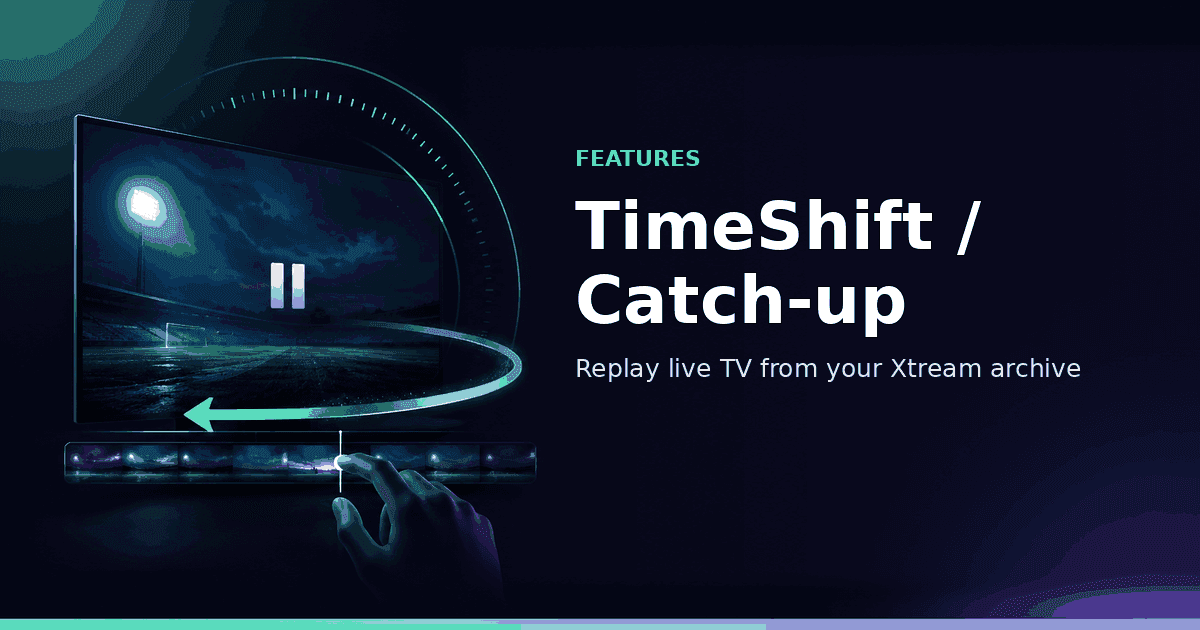
Premium TimeShift lets you browse Xtream TV archives, start missed programmes from the beginning, scrub within shows and jump back to live — when your provider exposes catch-up.
Responsible use
GridStreamr does not provide IPTV channels, VOD, or playlists. You bring your own authorized Xtream Codes or M3U sources. You are responsible for complying with applicable terms, licenses, and local law.
Missed the kickoff? Walked away mid-news hour? TimeShift (also called catch-up TV) is how GridStreamr turns a live channel into a short rewind window — as long as your Xtream Codes provider already stores that channel's archive. You open the player, tap TimeShift, pick a past programme, scrub to the moment you care about, then hit Back to Live when you are caught up.
What TimeShift is (and is not)
In IPTV, catch-up usually means the provider keeps a rolling buffer of recent live programmes — often 24 hours to several days per channel — and exposes playback URLs through the Xtream API. GridStreamr's Premium TimeShift feature:
- Detects when archive data exists for the current channel
- Lists past programmes grouped by day
- Starts playback from the beginning of a selected show
- Lets you scrub within the programme
- Returns you to the live edge with one control
TimeShift is not:
- A substitute for Home DVR recordings stored on your NAS or PC
- A way to unlock channels or archives you do not subscribe to
- Available for every M3U URL (classic catch-up is an Xtream archive feature)
- Guaranteed on every channel even when Premium is active
Think of TimeShift as provider-side TiVo for live TV, and Home DVR as your-side recording. Many households use both: TimeShift for "I missed the first half hour," DVR for "record this series every week onto my Synology."
Requirements checklist
| Requirement | Detail |
|---|---|
| GridStreamr version | Recent iOS / Android / Android TV build (TimeShift since v2.0.6+) |
| Subscription | Premium (or active trial) |
| Source type | Xtream Codes account with TV archive enabled on the channel |
| Channel metadata | Provider must expose archive / catch-up flags for that stream |
| Network | Stable connection — archive streams are full-bitrate like live |
If any row fails, the TimeShift control stays hidden or disabled. That is intentional: GridStreamr refuses to invent archive endpoints that do not exist.
How to use TimeShift step by step
- Open GridStreamr and start a live channel from an Xtream source or a Smart Collection fed by Xtream.
- Tap the TimeShift control in the player (grid / clock-style action depending on platform).
- Browse past programmes grouped by day inside your provider's archive window.
- Tap a programme to start from the beginning.
- Use the scrub bar (or remote rewind / fast-forward on Android TV) to jump inside the show.
- Tap Back to Live (or GO LIVE on TV) to return to the current broadcast.
Documentation and a short demo video live under Using TimeShift and the TimeShift tutorial video.
TimeShift inside Smart Collections
Power users rarely watch from a raw provider category dump. They watch from a curated Sports, News or Family collection. TimeShift follows the channel — not the category UI:
- Merge live TV from multiple Xtream providers into one Smart Collection
- Open any channel that still has archive support
- Catch up without leaving the curated list
- Keep EPG rows and favorites consistent with live browsing
If you combine providers, archive quality can differ channel by channel. Channel A from Provider 1 may offer three days of catch-up while Channel B from Provider 2 offers none. GridStreamr surfaces TimeShift only where metadata says it is safe.
Free vs Premium for catch-up
| Capability | Free | Premium |
|---|---|---|
| Live playback | ✓ | ✓ |
| Current / next EPG | ✓ | ✓ |
| Full-day EPG timeline | — | ✓ |
| TimeShift / catch-up UI | — | ✓ |
| Scrub + Back to Live | — | ✓ |
| Home DVR recording | — | ✓ |
Premium also unlocks the broader player stack — multi-audio, subtitles, MultiView, Jellyfin, DVR — described on pricing. The 7-day trial is the fastest way to verify that your provider's archives actually work before committing.
TimeShift vs Home DVR vs MultiView
These three Premium features solve different "I need more than one live moment" problems:
TimeShift — Replay what already aired in the provider archive. No local disk required. Window limited by the provider.
Home DVR — Schedule recordings to Docker, Synology, Mac, Windows or Linux. Files persist on your storage after the archive expires. See the Docker / Synology guide.
MultiView — Watch up to four live streams at once. Not catch-up; parallel live monitoring for sports and news.
A typical sports Sunday: MultiView for four live matches, TimeShift when you join late to one of them, DVR for a late game you cannot watch at all.
Android TV remote experience
On Android TV, catch-up is built for lean-back control:
- Open a channel that supports archive
- Enter catch-up from the player / guide path for that channel
- Use rewind and fast-forward on the remote
- Read a clearer progress bar (improved in recent releases)
- Return to live when ready
EPG time displays in the catch-up view respect your device's 12/24-hour setting, and catch-up URL generation shares the same timezone handling used for shared playlist offsets — important when your provider uses non-standard offsets.
Troubleshooting greyed-out or missing TimeShift
Button never appears
- Confirm Premium status under Settings → Subscription
- Confirm the source is Xtream, not a plain M3U without archive API
- Try a known catch-up channel from your provider's own portal or another player
Button is grey / disabled
- That specific channel has no archive flag
- The archive window expired for older programmes
- Temporary provider API failure — retry later
Playback starts then fails
- Provider archive CDN issues (common during peak sports)
- Concurrent stream limits on your subscription
- VPN or DNS blocking archive hostnames that differ from live hosts
Programme list looks empty or wrong times
- Check Settings → EPG timezone / clock format
- Refresh the source
- Verify the same channel shows programmes in the full-day EPG timeline
GridStreamr logs and support docs emphasize the same rule: if the provider does not expose archive, no client can invent it.
Compliance and fair use
Catch-up is still your provider's stream, delivered through credentials you are authorized to use. Do not share archive access in ways that violate your provider's terms. When you share a Smart Collection, recipients only receive what you curated under virtual credentials — and only if your sharing setup allows it. GridStreamr does not sell channels, archives or VOD packages.
Getting started today
- Upgrade to Premium or start the 7-day trial
- Add or refresh your Xtream Codes source
- Open a live sports or news channel your provider advertises as catch-up
- Tap TimeShift → pick a programme → scrub → Back to Live
- Optionally schedule the same title on Home DVR if you need a permanent copy
Catch up without a second app
Premium TimeShift works with your Xtream archive. Free 7-day trial — no credit card required.
Related reading
Frequently asked questions
Does GridStreamr provide TimeShift / catch-up content?
No. TimeShift only works when your authorized Xtream Codes provider exposes a TV archive for that channel. GridStreamr builds the catch-up URL and player UI; it does not host or extend archive windows.
Is TimeShift available on Free?
No. TimeShift is a Premium feature. Free users can still watch live TV with current/next programme info. A 7-day Premium trial is available in-app with no card required.
Why is the TimeShift button greyed out?
The channel has no archive metadata from your provider, you are not on Premium, or the source is M3U-only without Xtream archive support. Switch to a channel your provider marks as catch-up-capable.
Does TimeShift work inside Smart Collections?
Yes. Channels pulled from Xtream sources into Smart Collections keep archive support when the provider exposes it. You can catch up from the same curated lineup you use for live viewing.
How is TimeShift different from Home DVR?
TimeShift replays programmes already held in your provider's archive. Home DVR records streams to your own Mac, Windows, Linux or Docker storage for later playback independent of the provider archive window.
Does TimeShift work on Android TV?
Yes. On Android TV you can open catch-up from channels that support it, scrub with the remote's rewind and fast-forward, and return to live — Premium required, provider archive required.
Get started
Download gridstreamr free
Add your sources, build a Smart Collection, then upgrade to Premium in-app when you need more.
Related
Keep reading
Sports Hub: Scores, Standings, and the Match on Your Playlist
Premium Sports Hub on iPhone, iPad, and Android follows teams, players, and leagues, then opens a matching channel from your own IPTV playlist. Apple TV (tvOS) and Android TV are coming soon.
Readarrow_forwardAI Channel Categorization
AI Channel Categorization — practical GridStreamr guidance for organize iptv channels ai. Bring your own Xtream or M3U sources; we handle organisation, EPG and playback tools.
Readarrow_forwardEPG Notification Alerts
EPG Notification Alerts — practical GridStreamr guidance for iptv epg notifications. Bring your own Xtream or M3U sources; we handle organisation, EPG and playback tools.
Readarrow_forward