
What Is Xtream Codes? IPTV API Explained
Plain-language explanation of Xtream Codes-compatible IPTV APIs — server URL, username, password, live/VOD/series, and catch-up — and how you can import them in GridStreamr.
Responsible use
GridStreamr does not provide IPTV channels, VOD, or playlists. You bring your own authorized Xtream Codes or M3U sources. You are responsible for complying with applicable terms, licenses, and local law.
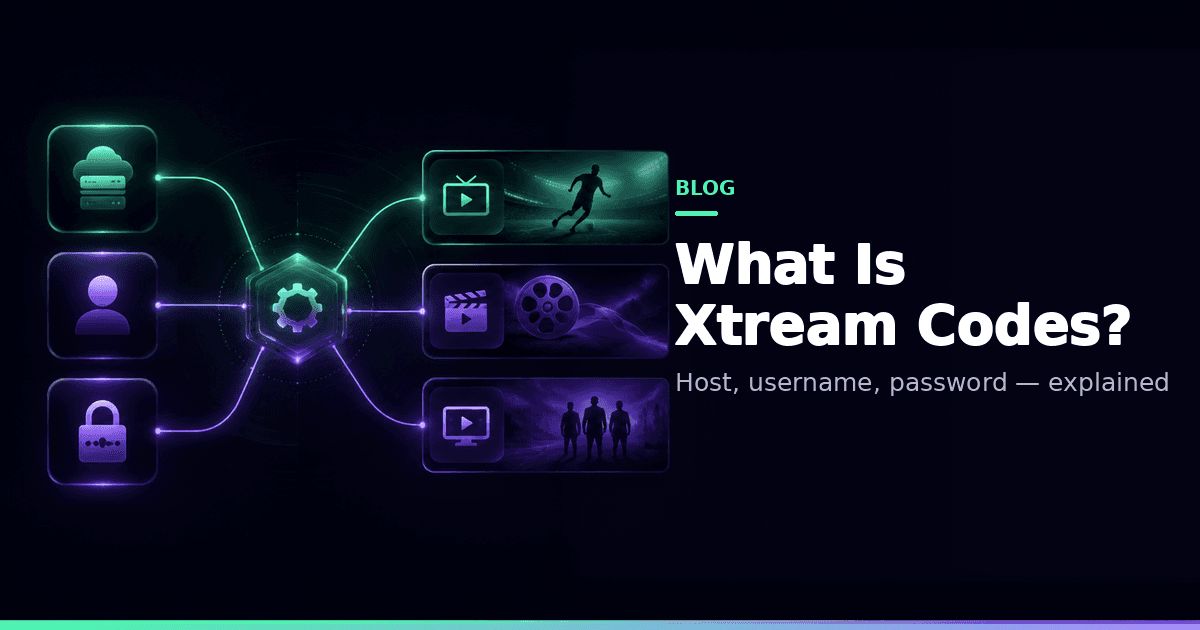
Xtream Codes (and compatible panels) expose IPTV through an HTTP API. You enter a server URL, username, and password — then the app loads live TV, movies, and series, often including catch-up archives per channel.
Why three fields instead of a file
The app talks to the panel API instead of downloading and re-parsing a giant M3U on every launch. That gives you:
- Structured live / VOD / series categories
- Account info (expiry, status) when the panel provides it
- Archive / catch-up metadata for TimeShift-capable channels
Xtream vs M3U
| Xtream API | M3U / M3U8 | |
|---|---|---|
| Login shape | Host + user + pass | Playlist URL / file |
| VOD / series | Structured | Often flat links |
| Catch-up | Common when panel supports it | Rarely structured |
| Portability | API-dependent | Universal interchange |
You can use both in GridStreamr — see M3U vs Xtream and what is an M3U playlist.
In GridStreamr
- Add an Xtream source (Xtream feature)
- Browse live / VOD / series
- Copy what you need into Smart Collections
- Map EPG
- Optional Premium TimeShift when archive exists
Free includes 1 Xtream account. Premium unlocks unlimited accounts.
Catch-up depends on the panel
Not every channel exposes archive. If TimeShift is greyed out, check Premium status, source type (Xtream vs M3U-only), and that channel's archive flags — GridStreamr does not invent catch-up windows.
Security
Treat panel passwords like bank passwords. For relatives and secondary apps, use virtual credentials instead of forwarding your real login.
Related
Typical API building blocks
Compatible panels commonly expose endpoints for:
- Account authentication and status
- Live category and stream lists
- VOD / series catalogs
- Provider EPG per channel
- Archive / catch-up URLs when enabled
GridStreamr consumes those responses to build your in-app library. Exact fields vary by panel software and provider configuration — another reason you can't expect catch-up on every channel.
Common setup mistakes
- Trailing slashes or
httpvshttpsmismatches on the host - Copying a DNS portal URL instead of the stream API host your provider documented
- Sharing the same login across too many concurrent devices
- Expecting M3U-only lines to behave like full Xtream archives
If login fails, verify host/user/pass with your provider's own web player or a second app before blaming GridStreamr.
From raw Xtream categories to Smart Collections
Provider categories are a starting point, not a living-room UI. Copy a few dozen channels into purpose collections, map Global EPG, then ignore the raw tree on TV. Same hygiene story as messy playlists, applied to API-backed sources.
Add your Xtream source
Organise into Smart Collections. Share collections, not panel passwords.
Frequently asked questions
Is Xtream Codes a channel package from GridStreamr?
No. Xtream describes an access method used by many panels. GridStreamr is a player and organiser — you bring your own authorized credentials. GridStreamr does not sell channels.
What three fields do apps ask for?
Server URL (host), username, and password. Compatible panels expose live TV, VOD, and series through an HTTP API.
Does Xtream always include catch-up?
No. Catch-up / TimeShift only works when the panel exposes archive metadata for that channel. In GridStreamr, TimeShift is Premium and provider-dependent.
Can I use Xtream and M3U together?
Yes in GridStreamr. Import both source types and merge channels into Smart Collections.
Should I share my Xtream password with family?
Prefer virtual credentials from a Smart Collection share so you can revoke access without rotating the master panel password.
Where can I read a deeper technical guide?
See How Xtream Codes works at /guides/how-xtream-codes-works.
Get started
Download gridstreamr free
Add your sources, build a Smart Collection, then upgrade to Premium in-app when you need more.
Related
Keep reading
M3U vs Xtream Codes: Which Should You Use for IPTV?
M3U playlists and Xtream Codes are the two main ways to access IPTV content. Here's the key difference, when to use each, and why Smart Collections let you use both at once.
Readarrow_forwardWhat Is a Smart Collection? The Simple Way to Merge IPTV Playlists
Smart Collections let you combine channels from multiple Xtream Codes and M3U sources into one curated list, then share it securely without exposing your credentials. Here's how it works.
Readarrow_forwardWhat Is an M3U Playlist? IPTV Files Explained
What M3U and M3U8 IPTV playlists are, strengths and weaknesses versus Xtream APIs, and how you can import and share them in GridStreamr via Smart Collections.
Readarrow_forward